Desktop software that fits the way your team works.
When the same job details are copied between spreadsheets, work orders and invoices, the software is making the team do extra work. We build custom desktop applications that connect those steps, keep the relevant information together and fit the tools your business already uses.
You do not need a finished technical specification. Bring one everyday task and show us how you handle it today.
Focused internal tools
Existing-system integration
Deployment and handover
Built by NordCodex · Lund Bilmek
Verkstad AI — software used at Lund Bilmek
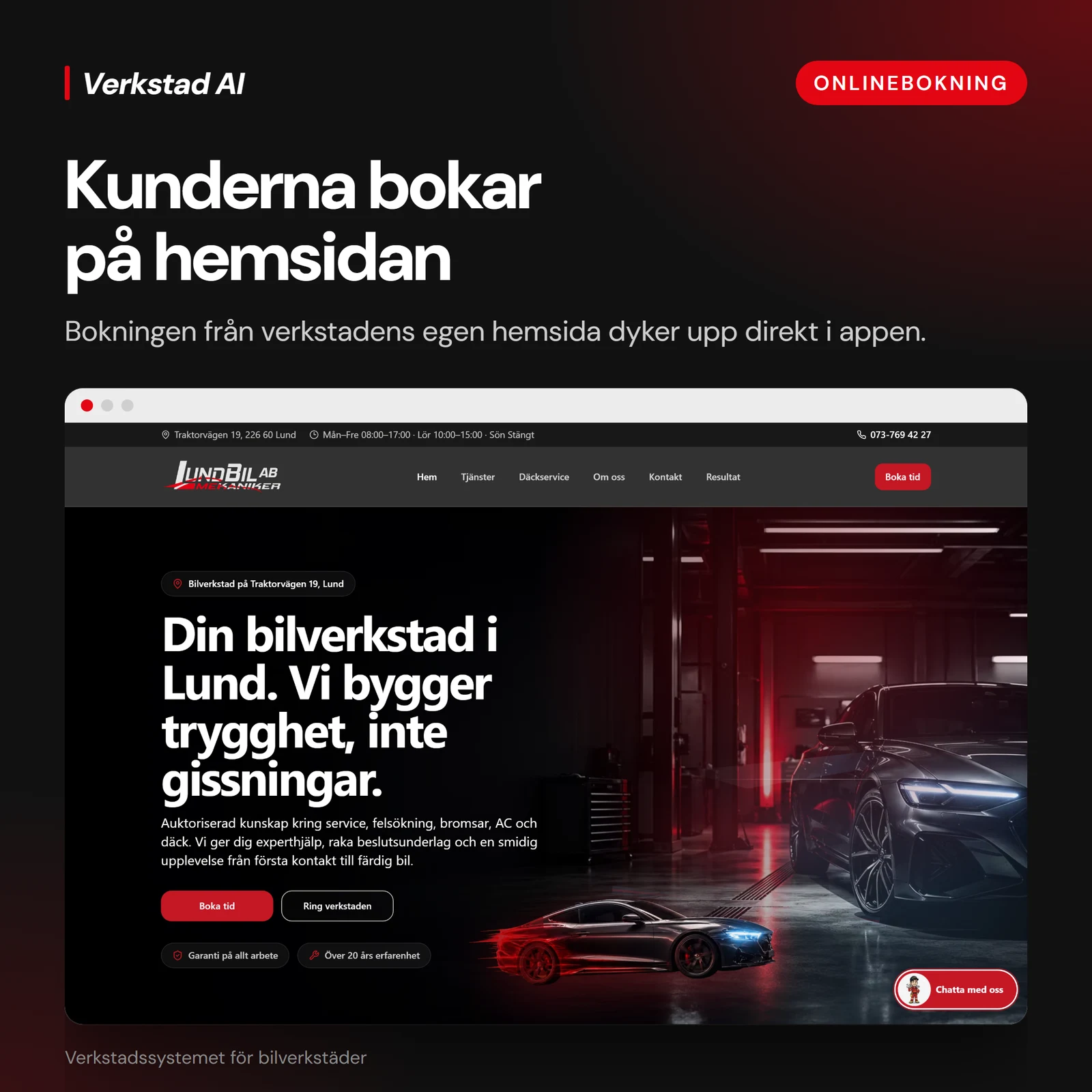
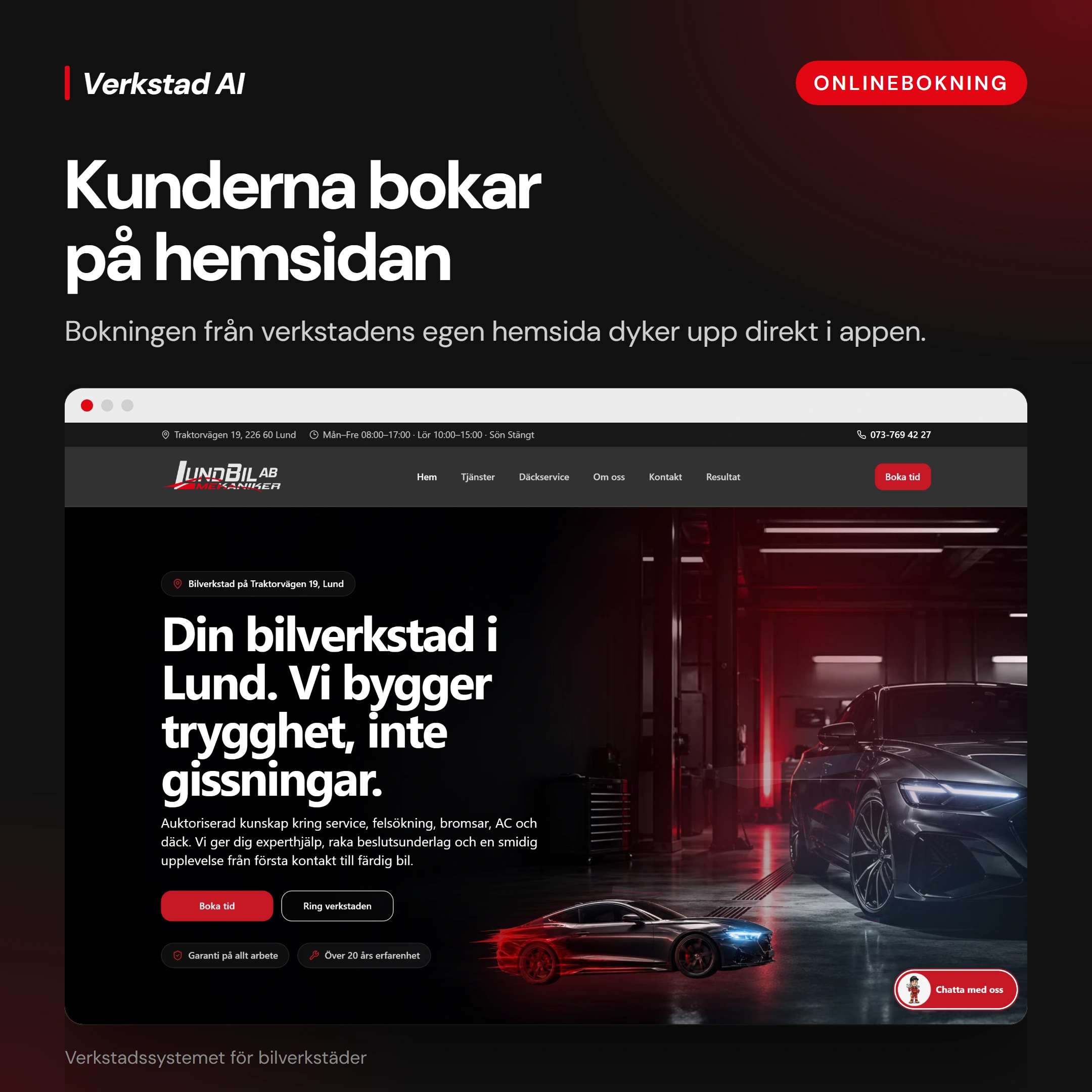
We built Verkstad AI and the website for Lund Bilmek, added a chatbot to the website and connected the site to the workshop software. Customers book online, and their appointments are added automatically to the workshop’s calendar. This saves the service advisor from taking booking details by phone and then entering them manually.
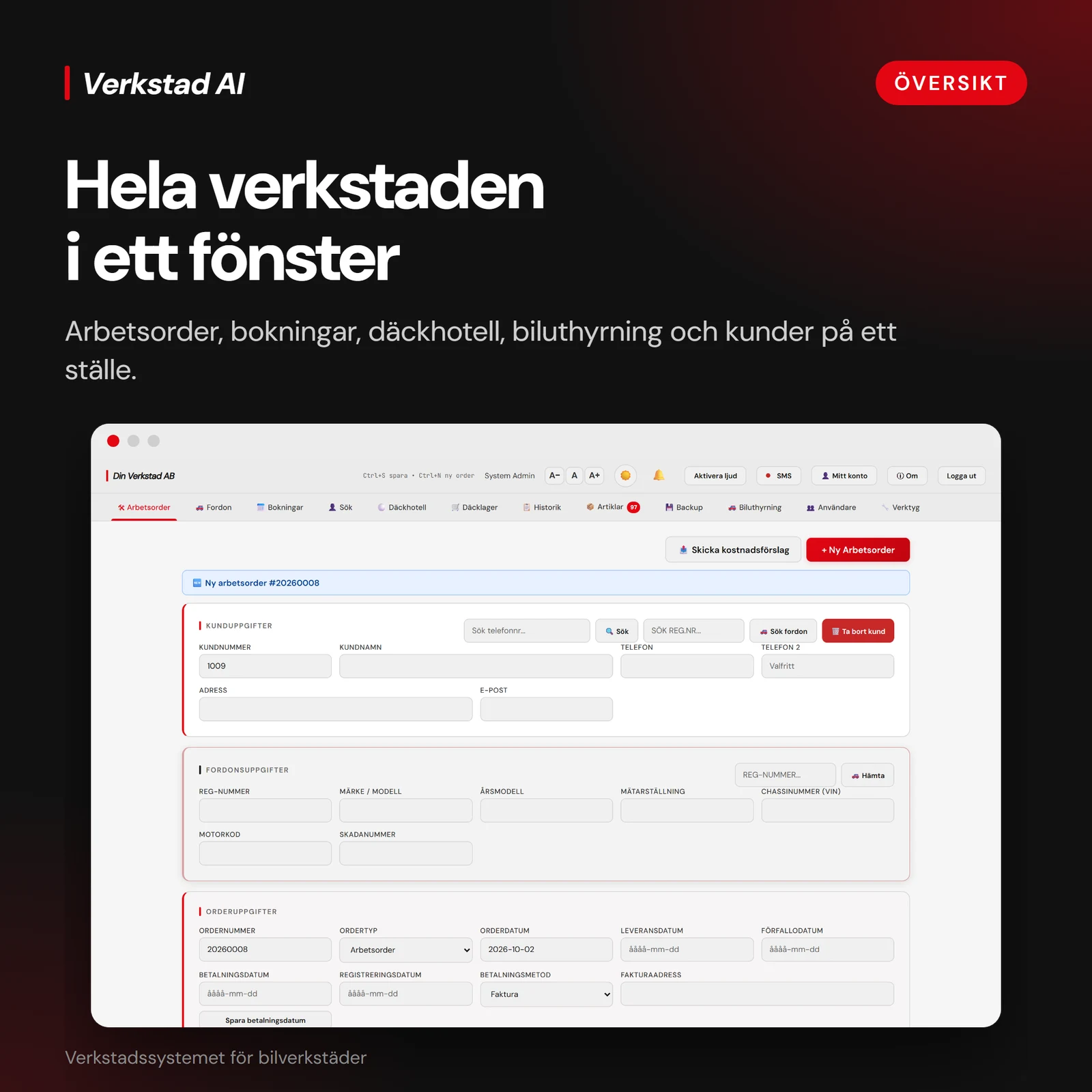
Using the same job details, the service advisor creates a work order, estimate and invoice with one click, then sends the documents to the customer or insurance company. Email, SMS messages and campaigns can also be sent from the application, reducing paperwork and the need to switch between tools.
Connect the website to the workshop
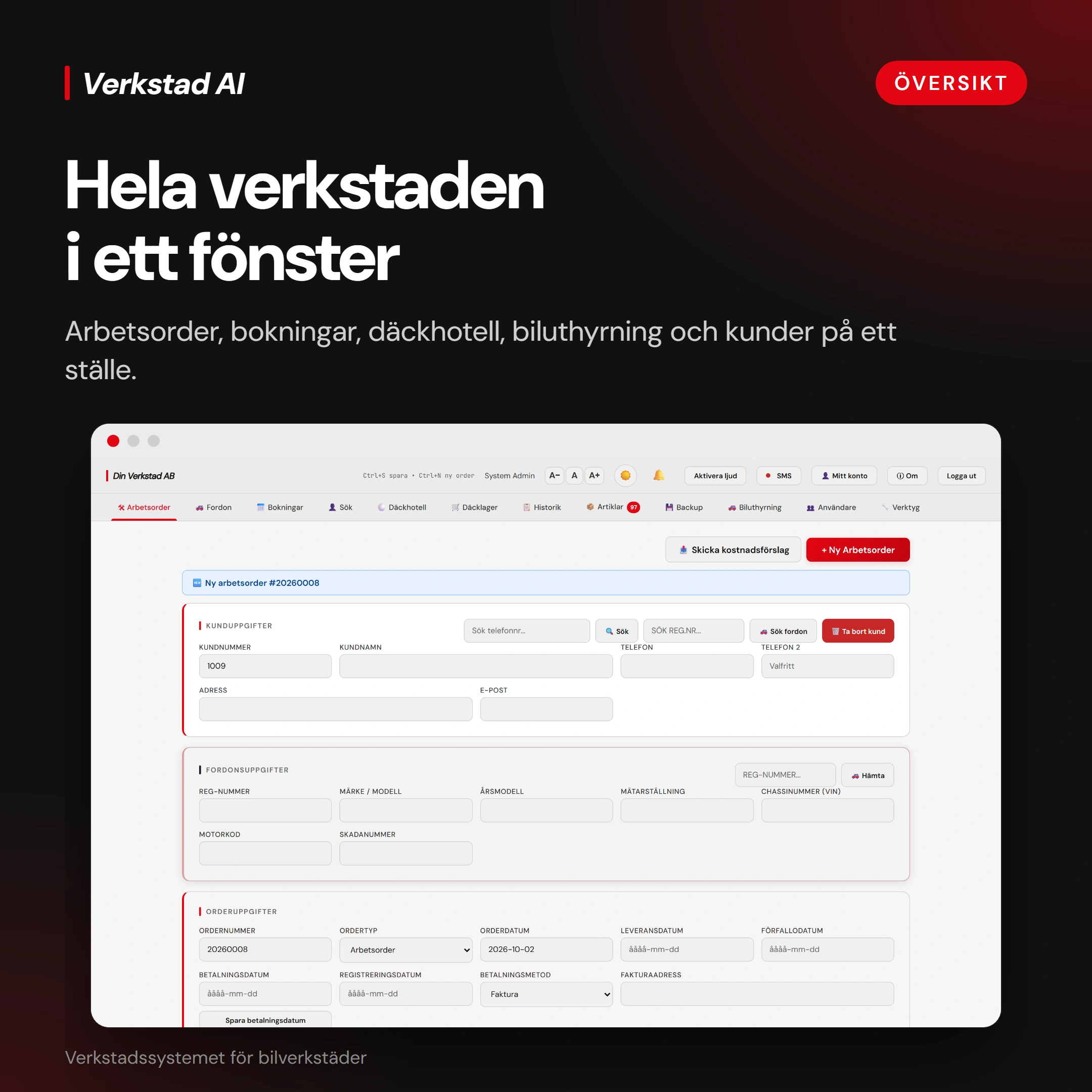
The service advisor sees the booking in the application’s calendar and reviews the customer and vehicle details to prepare the work order.
The service advisor checks the customer, vehicle and job details, and can review previous work in the customer’s record. The current job details are used for the work order, estimate and invoice.
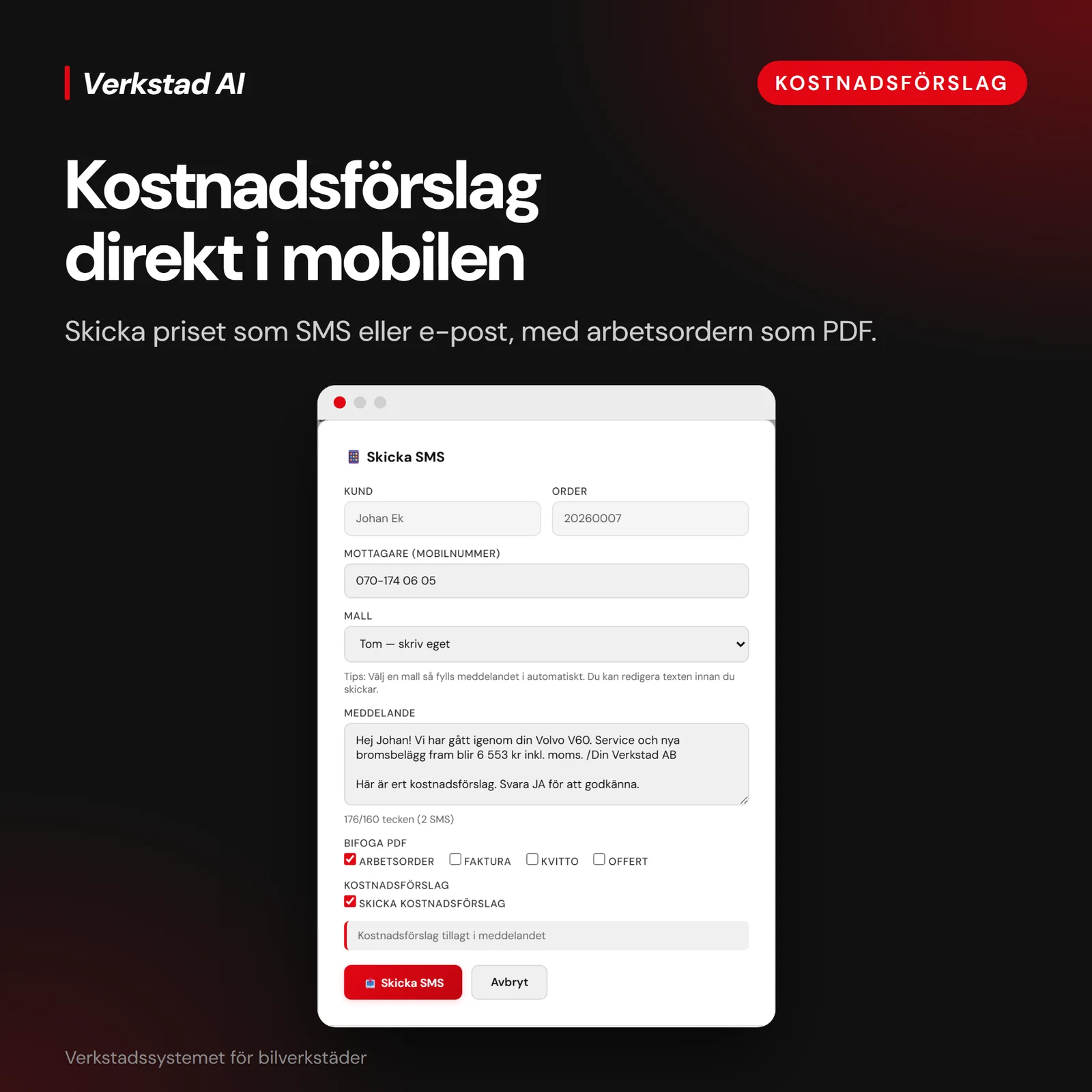
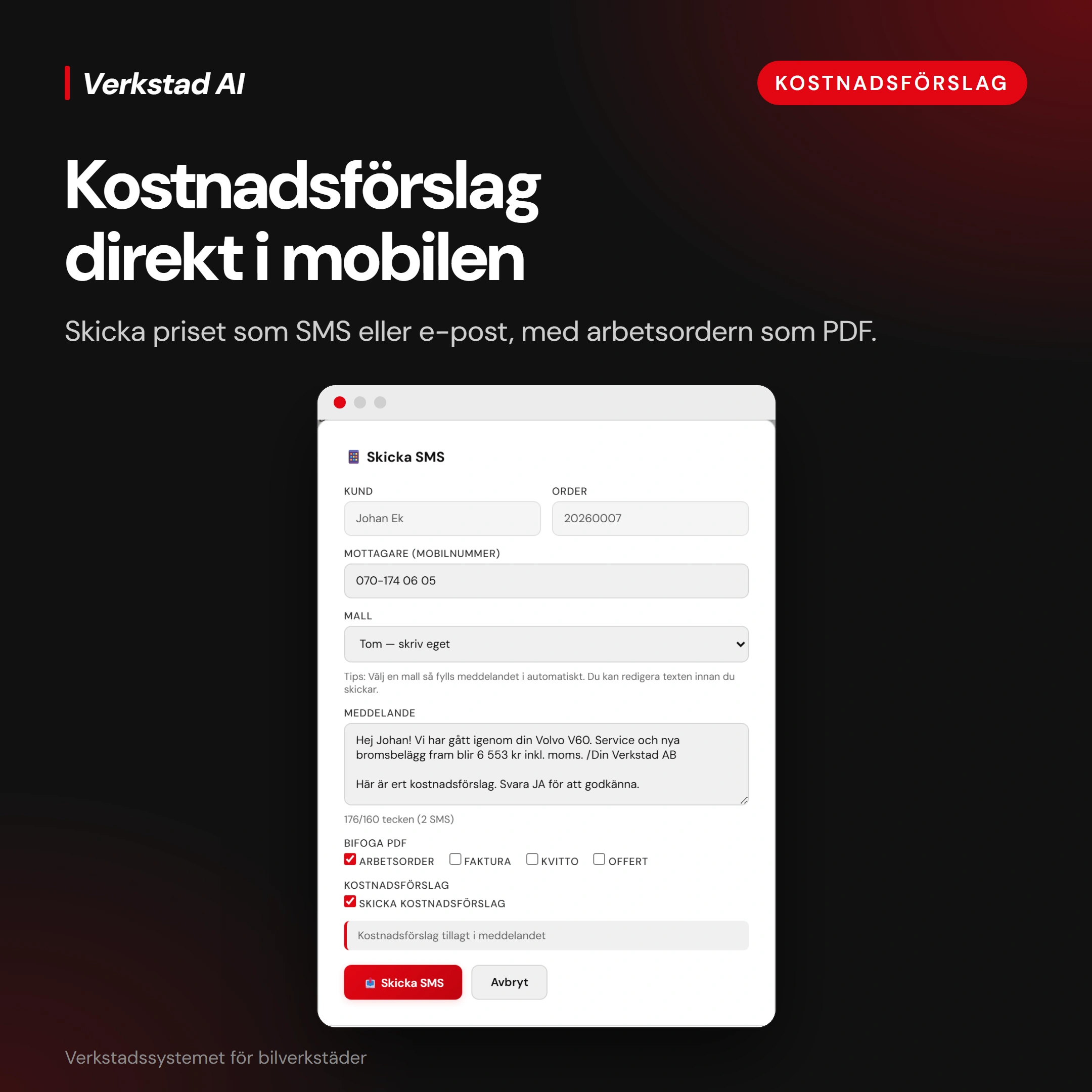
The service advisor prepares an SMS with the estimate amount and work details, and can attach the work order as a PDF so the customer can review the proposed work.
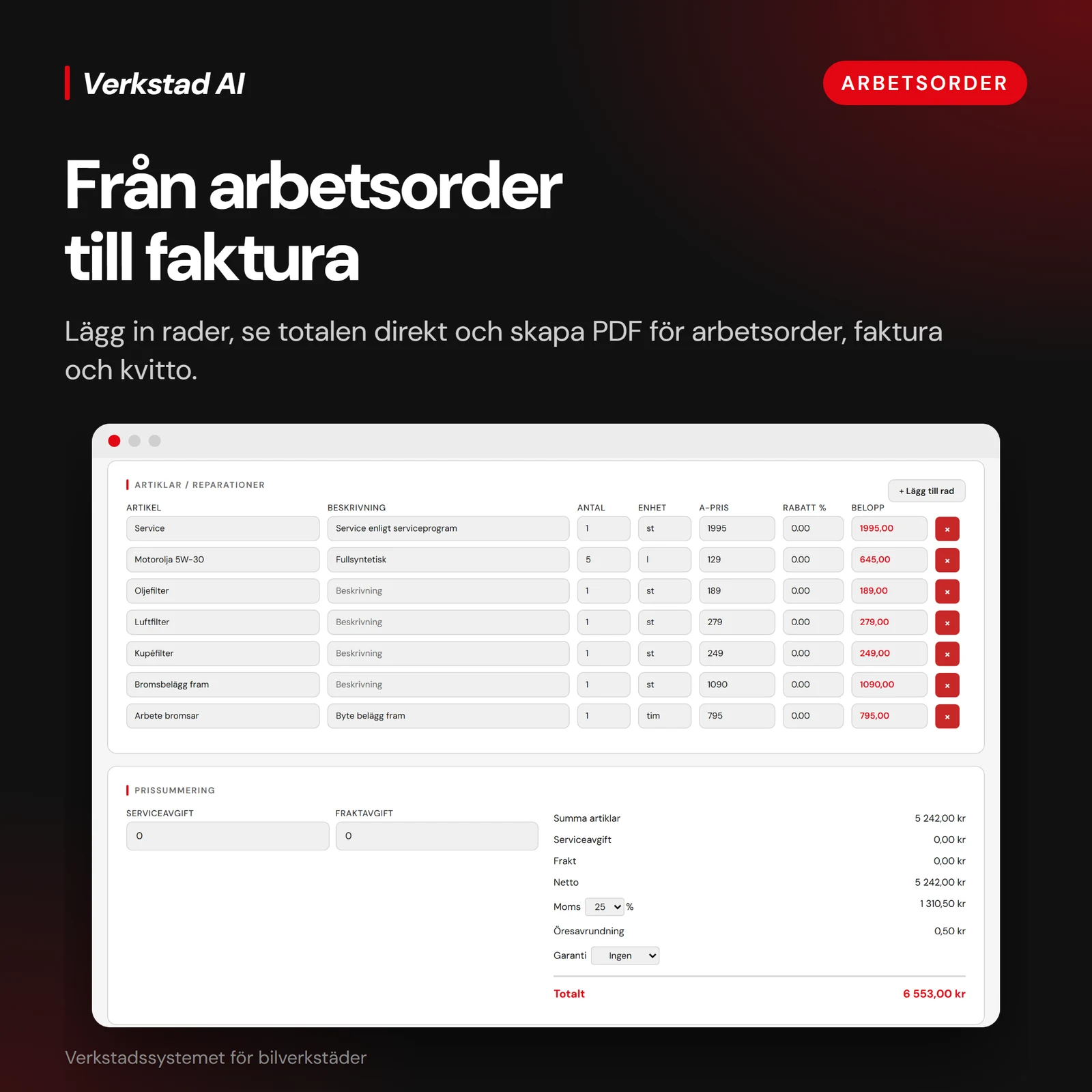
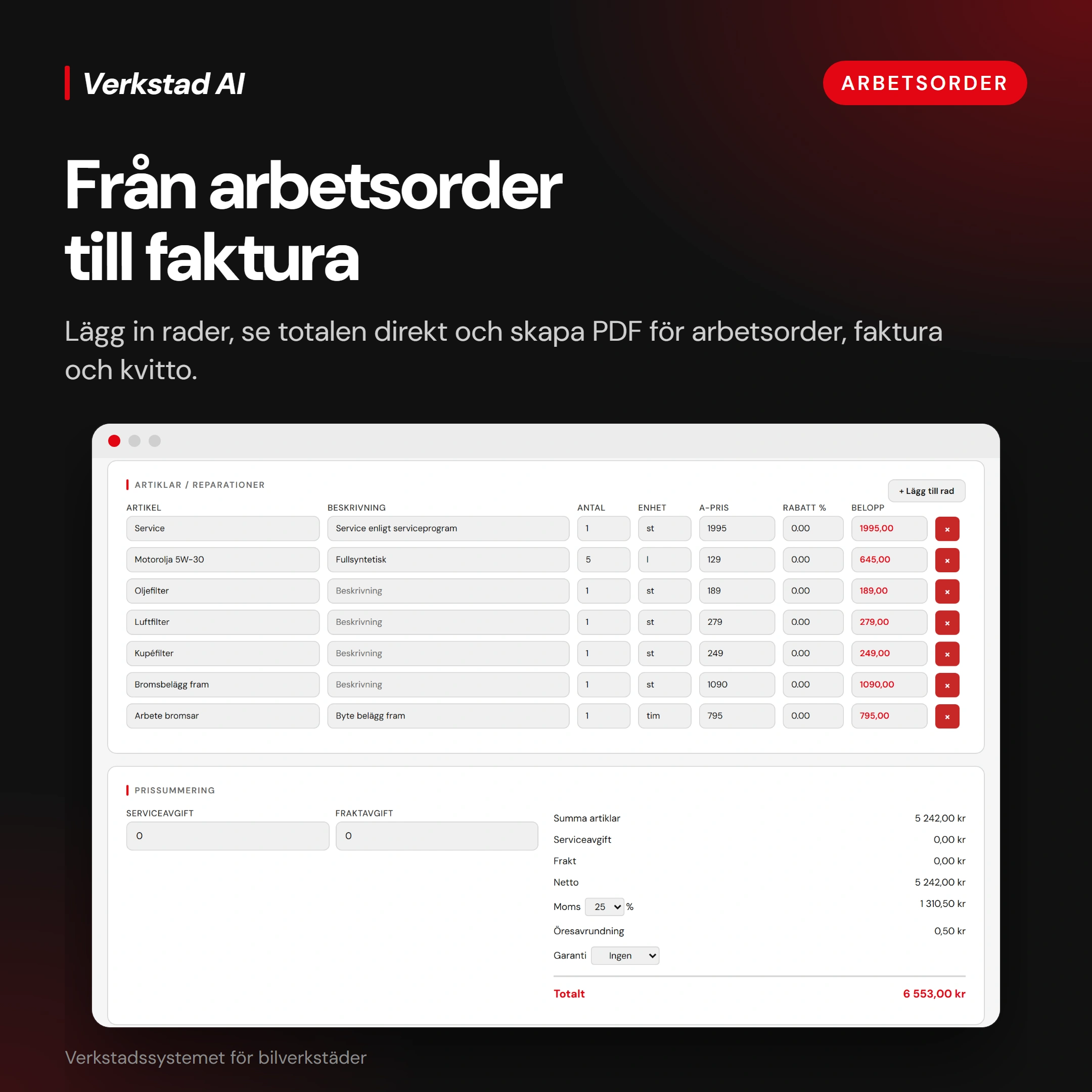
Create a work order, estimate and invoice from the same job details with one click. Then send the documents to the customer or insurance company, without starting a separate document from scratch each time.
Workshops, service companies and internal teams often need more than a list of records. They need a clear path from a new request to completed work. We start with that path and agree which steps the application should handle.
Orders, documents and team workflows
Bring customer details, work orders, estimates and invoices into a connected workflow. Decide who can create, review or change information, and what each person needs to see. The aim is to reuse information already entered and make the next action clear, from opening a job to recording its outcome.
Files and equipment used in the job
A desktop application can work with local folders, prepare documents or connect to equipment such as printers and scanners. We review the actual devices, drivers and file formats before agreeing support. That keeps the design grounded in the workstation your team uses, including any steps that need to remain manual.
Connections to your website and existing systems
Details from a website booking, customer record or completed job should not need to be entered into every tool again. We assess the interfaces your current systems provide and agree suitable API connections or import and export formats. Access permissions, data ownership and how failed transfers are handled are part of that scope.
When is a desktop application the right choice?
Desktop software can suit work tied to local equipment, substantial file processing or functions that need to stay available without a connection. A browser-based application may fit teams working across many locations. We compare those needs first; offline behaviour and device support are designed for the agreed workflow, not assumed for every feature.
From one real task to software your team can use
Show us how the work happens
Walk us through a typical job using an example: where it starts, what gets copied and who takes over next. Together, we define the scope of a useful first version, including the current tools, equipment and information the software must work with.
Review the screens and the sequence
We turn that job into proposed screens and a clear workflow. Your team checks that the fields, permissions and next steps make sense before substantial development. Decisions and exclusions become part of the agreed scope, so everyone knows what the first version covers.
Try the software in agreed stages
We build in defined stages and review working parts with you. Representative tasks and agreed test data help check the whole journey, including corrections and handovers. Changes discovered along the way are assessed for scope, cost and timing before they are added.
Installation and handover
Before delivery, we agree how the application will be installed and who manages access, existing data and backups. Handover includes the agreed documentation and guidance to help your team start using the software. We also agree the scope and terms of ongoing support, updates and future changes.
What affects the cost of desktop software?
A scope you can make a decision on
Cost depends on the workflow, features, supported operating systems, users, device connections, integrations and data migration. We separate what the first version needs from what can wait. The proposal sets out deliverables, responsibilities, payment stages and how changes are priced, so you can decide what to build now and what to plan for later.
Know what you receive and how it is run
The agreement defines installation, documentation, any data transfer and the help your team receives at handover. It also covers rights to custom code, third-party licences, account access, backup responsibilities and support. Clarifying these points gives you a practical plan for using the application and deciding who will maintain it after delivery.
Questions before building desktop software
Can you build for Windows and macOS?
Yes. We agree the operating systems, versions and equipment the project must support. Some device connections or platform-specific features need separate implementation and testing, so we check them before including both platforms in the scope.
Can the application work without internet?
Where the work requires it, we can design agreed functions for offline use. We first decide what stays available locally, what needs a connection and how later synchronisation handles changes. Offline support is defined feature by feature.
Can it connect to our website or current software?
We assess the available APIs, access rights and import or export options. A connection might bring website bookings into the application or send completed job records to another system. The exact data flow and handling of failures are agreed before implementation.
Can we move our existing data into the new system?
We review a sample of the current records and the available export formats first. Migration may involve cleaning, mapping and checking the data. We agree what will move, how you will verify it and how the original records will be preserved.
Can you improve a tool we already use?
Yes. We can review the existing application, available source code and the problems your team encounters. A targeted improvement or integration may be enough. We explain the practical options before recommending a larger rebuild or replacement.
How long will the project take?
The schedule depends on the agreed scope, integrations, data and how quickly decisions can be reviewed. After understanding the workflow, we propose stages and review points. If requirements change, we discuss their effect on timing before committing to them.
What happens after delivery?
The agreement sets out handover, any warranty terms, support and maintenance. We distinguish correcting an issue within the agreed delivery from adding new functionality. We agree the updates, response expectations and ongoing costs with you.
Describe one job from start to finish, the tools you use and where information has to be entered again. We can then discuss the scope of a useful first version, the connections to assess and what is needed to prepare a proposal.
Use sample or anonymised information in your first message. Do not send passwords or private business records.